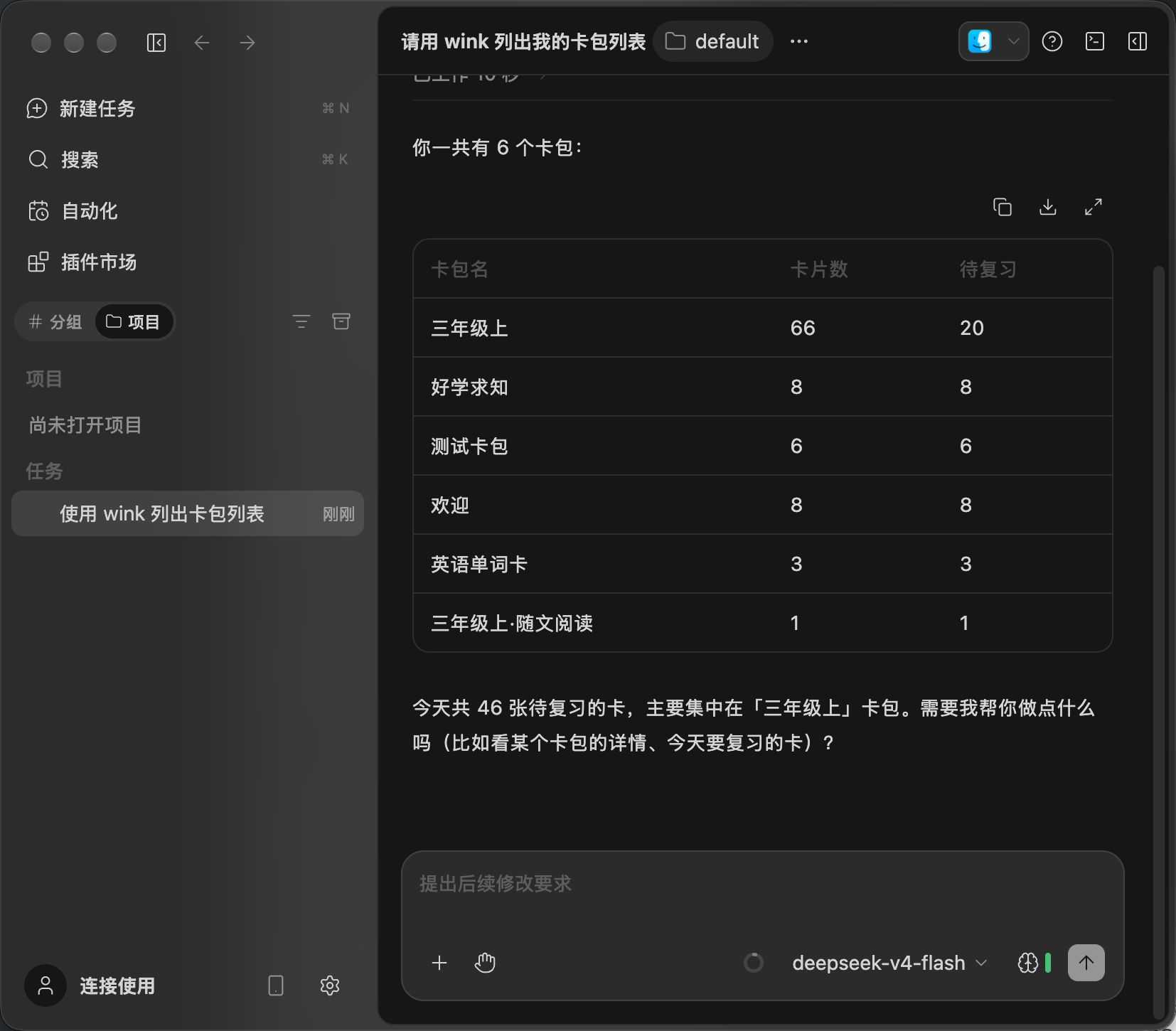
 WinkNotesHelp
Add WinkNotes MCP to ZCode
Follow the steps below to connect WinkNotes to ZCode.
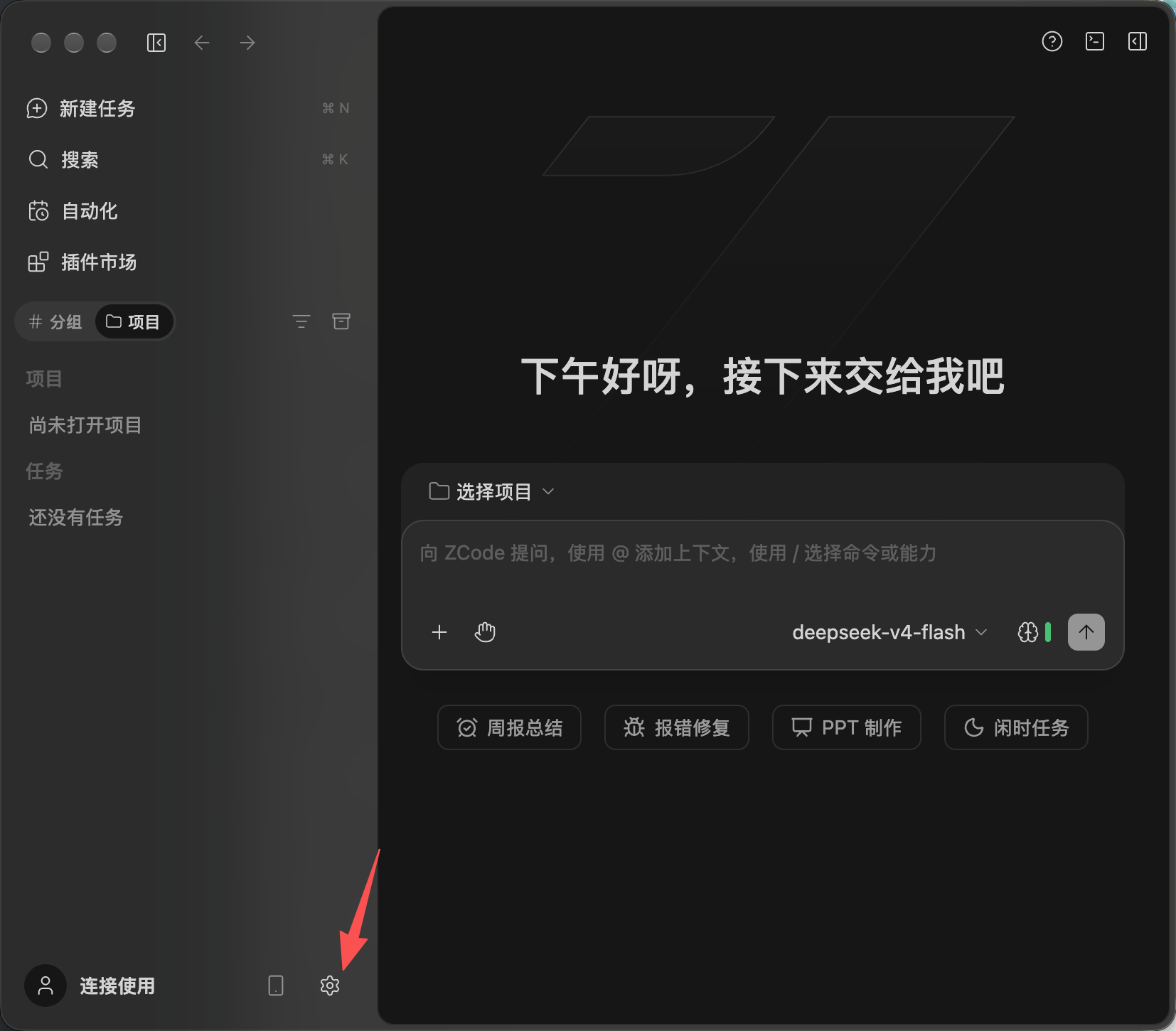
Tap Settings.
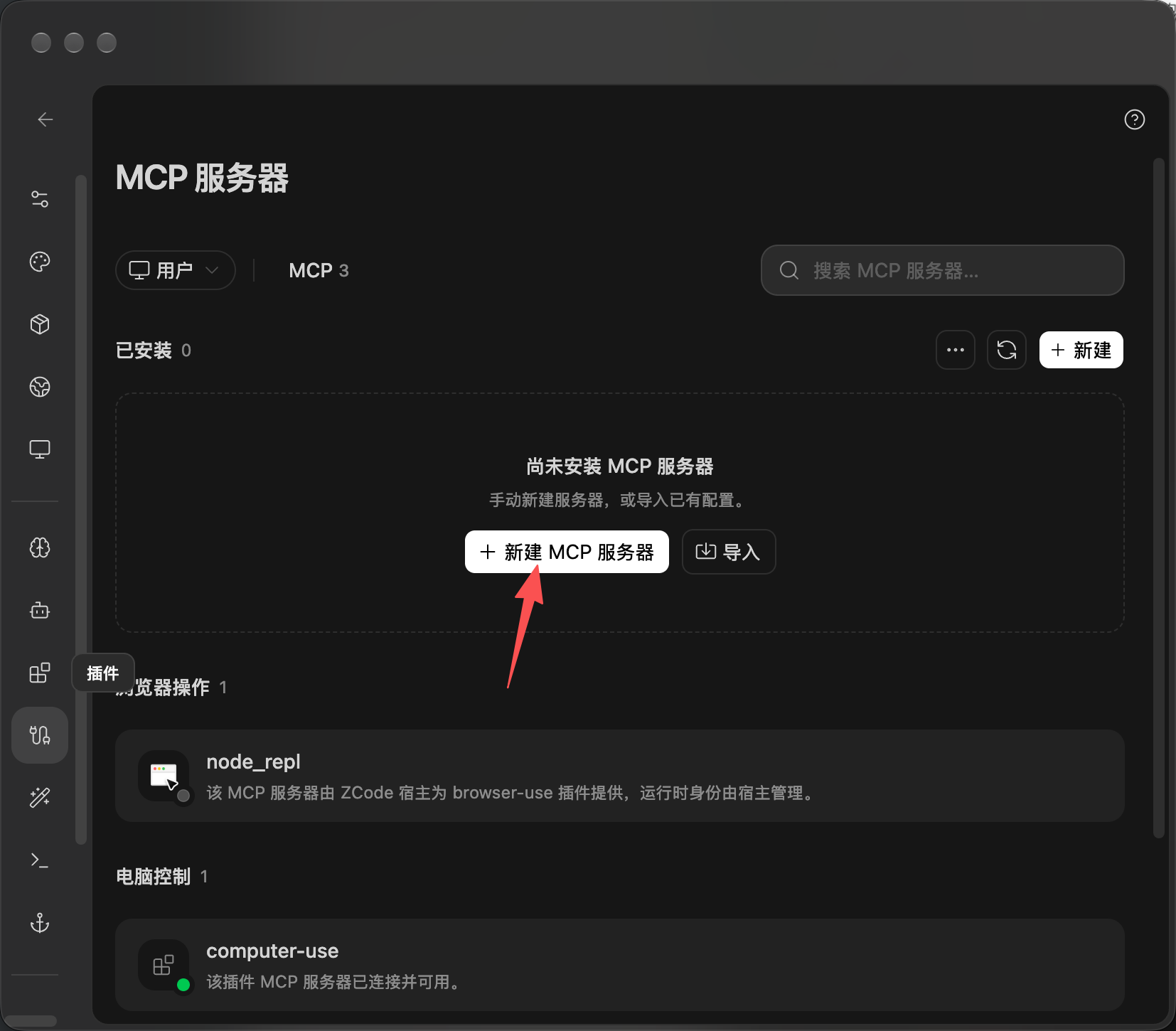
Tap New MCP server.
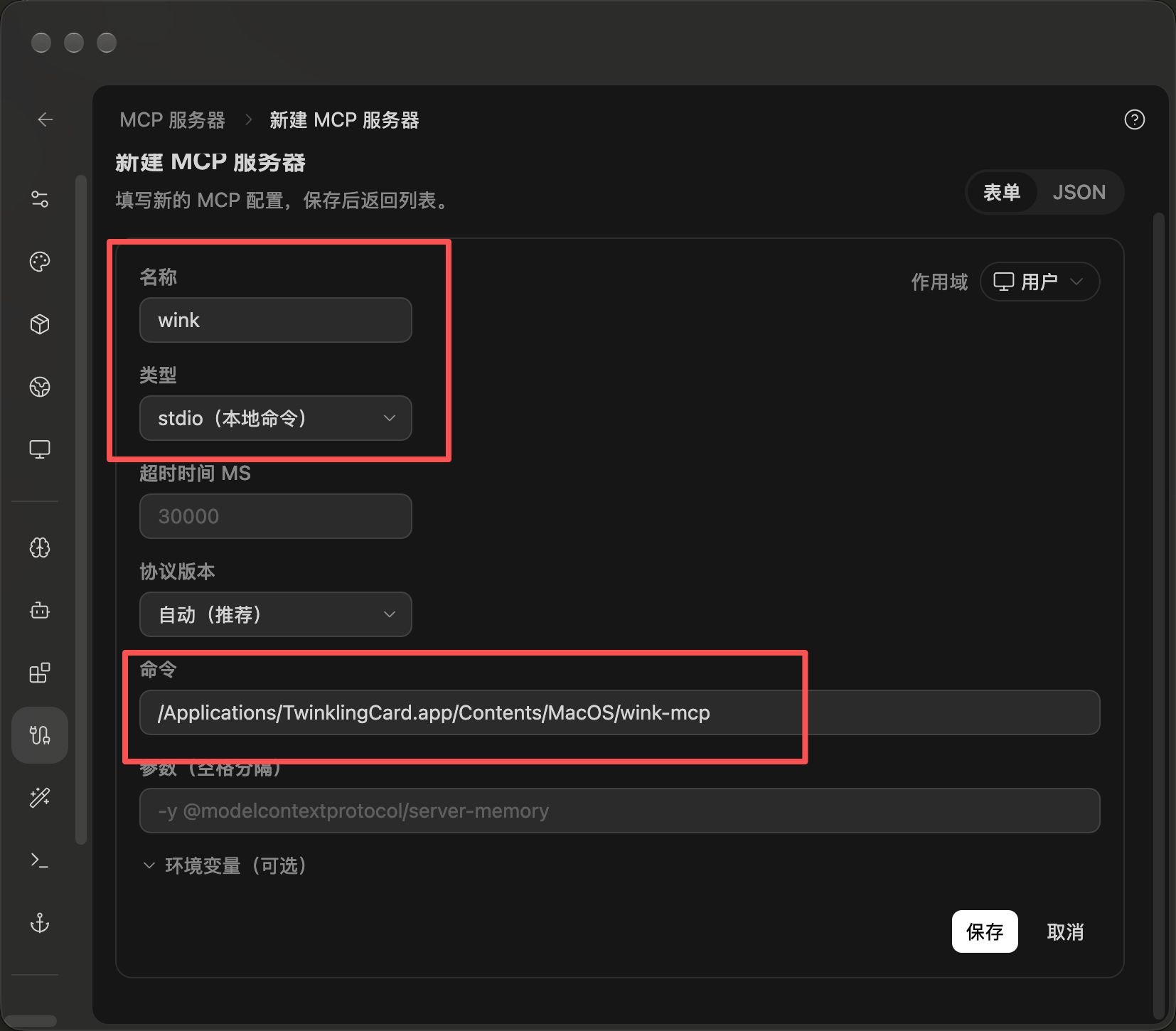
Name: wink
Type: stdio
Command: /Applications/TwinklingCard.app/Contents/MacOS/wink-mcp
Then tap Save.
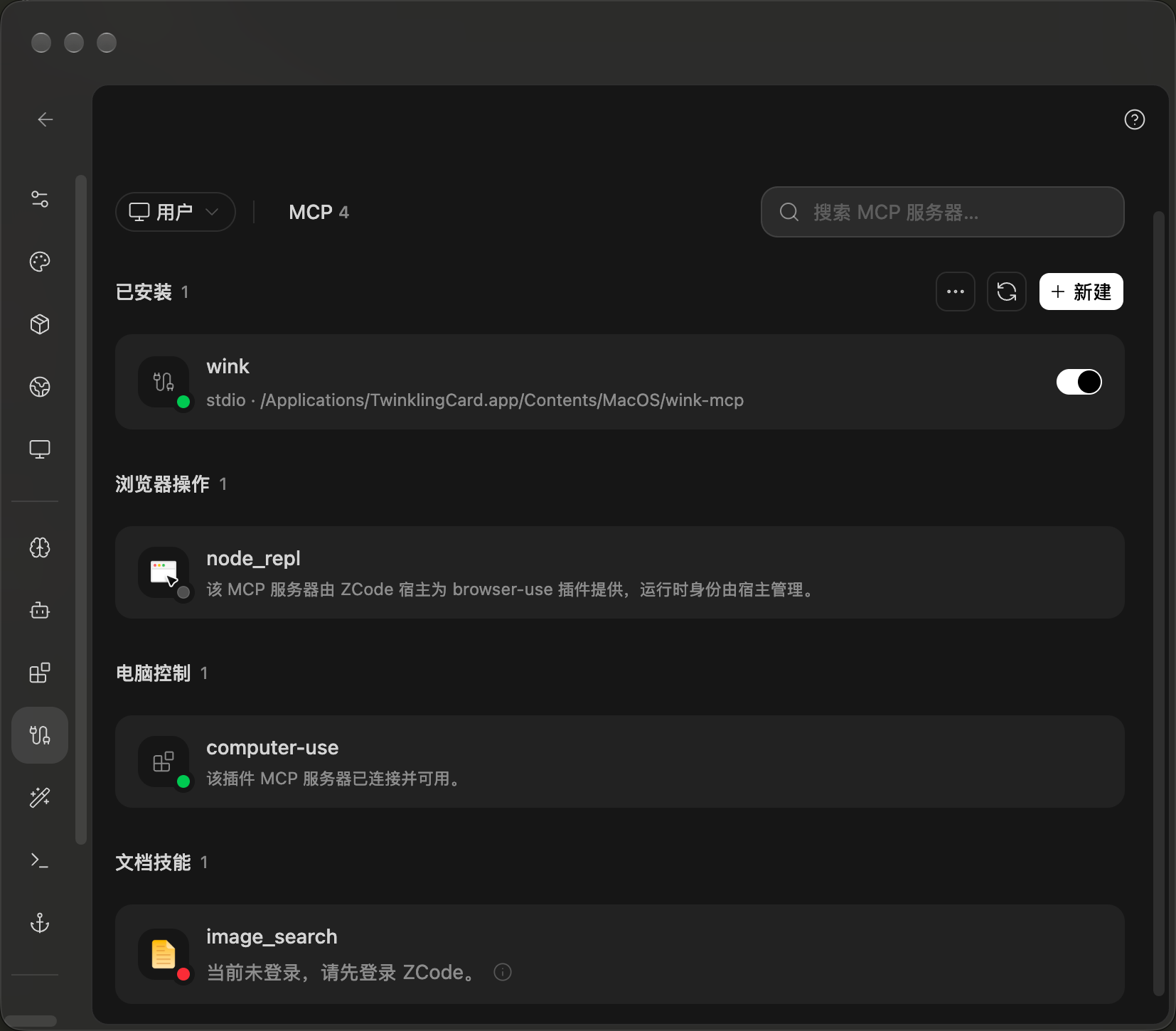
You should see wink as active.
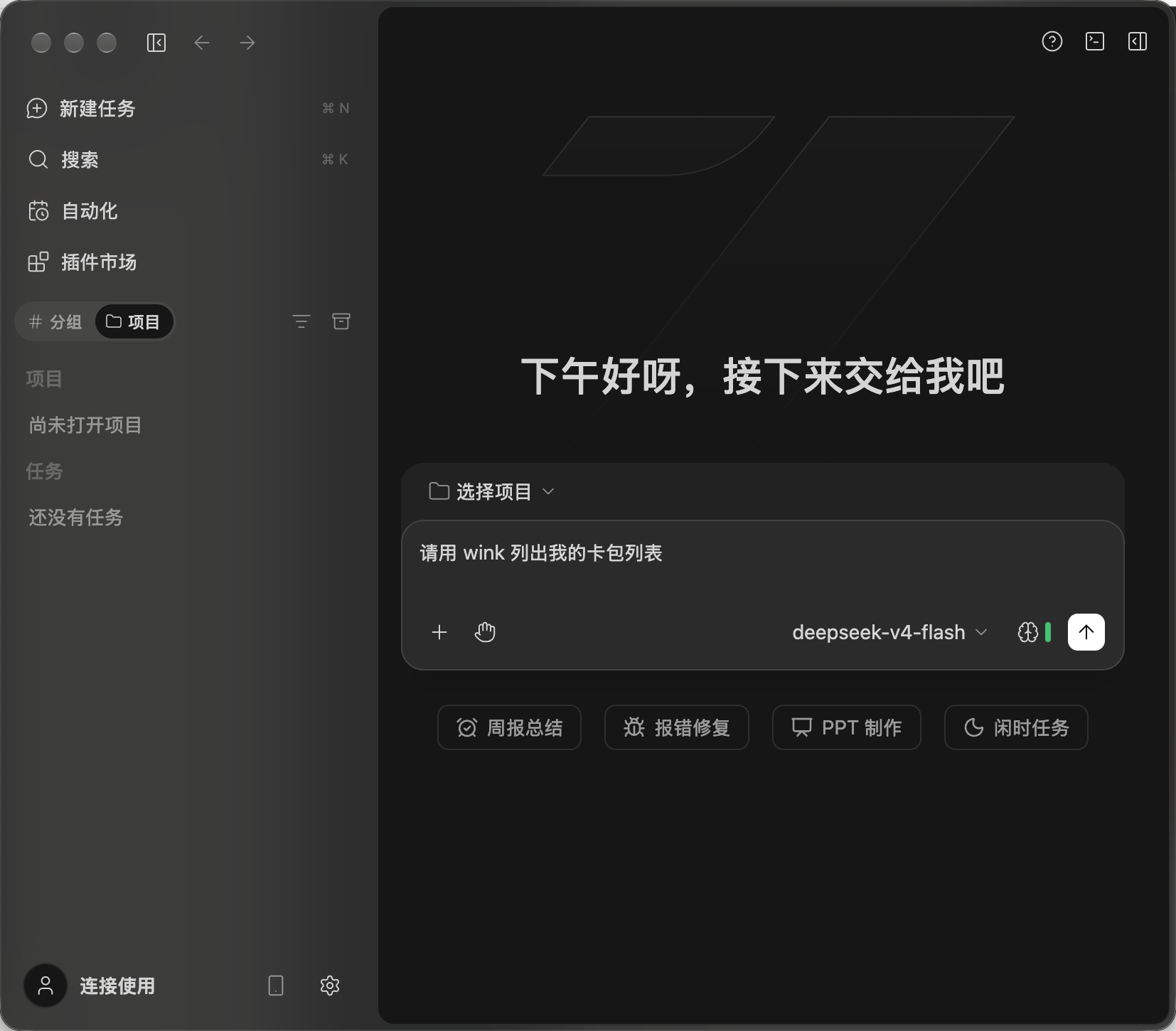
Start the first prompt with “using wink to …”. Once the session has picked up wink, you can leave it out.
If ZCode says it cannot find the wink command, quit ZCode and reopen it.
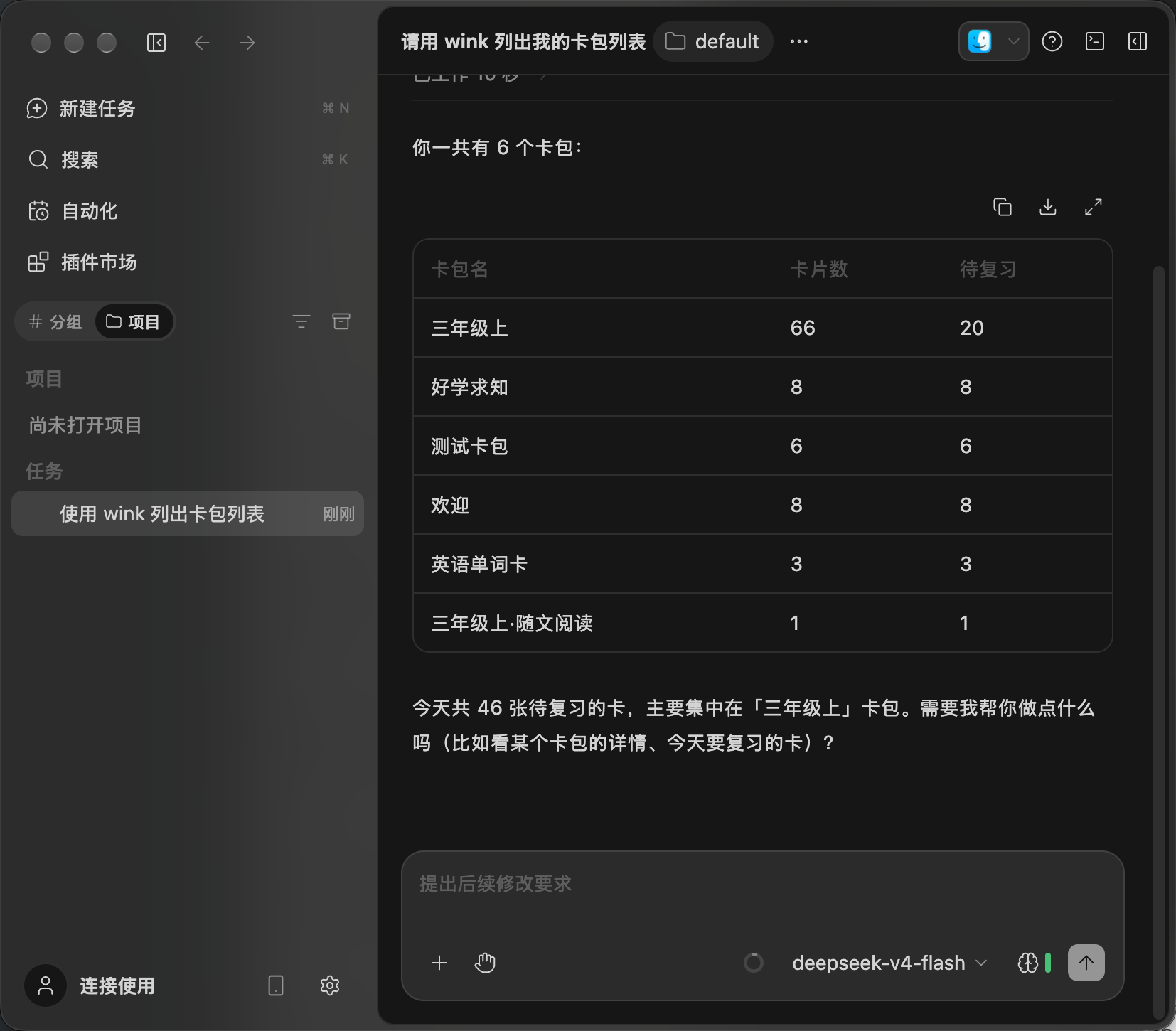
Add in chat
Open a new “New task” session and paste:
Please add this MCP server configuration:
"wink": {
    "type": "stdio",
    "command": "/Applications/TwinklingCard.app/Contents/MacOS/wink-mcp",
    "args": [],
    "enabled": true
}
After about 30–60 seconds of thinking, it should tell you it is done.
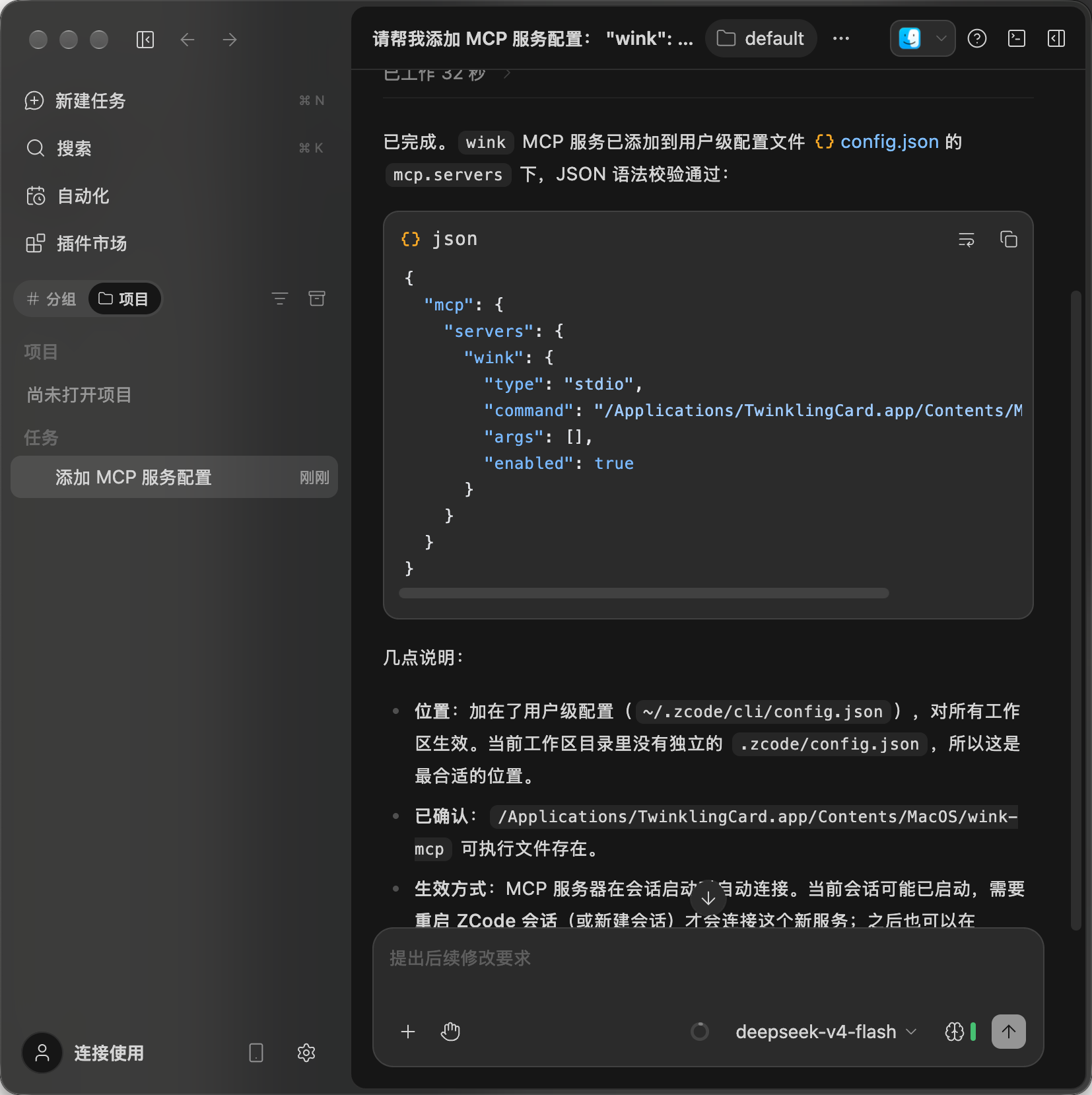
⚠️ Note: to be safe, quit ZCode and reopen it.
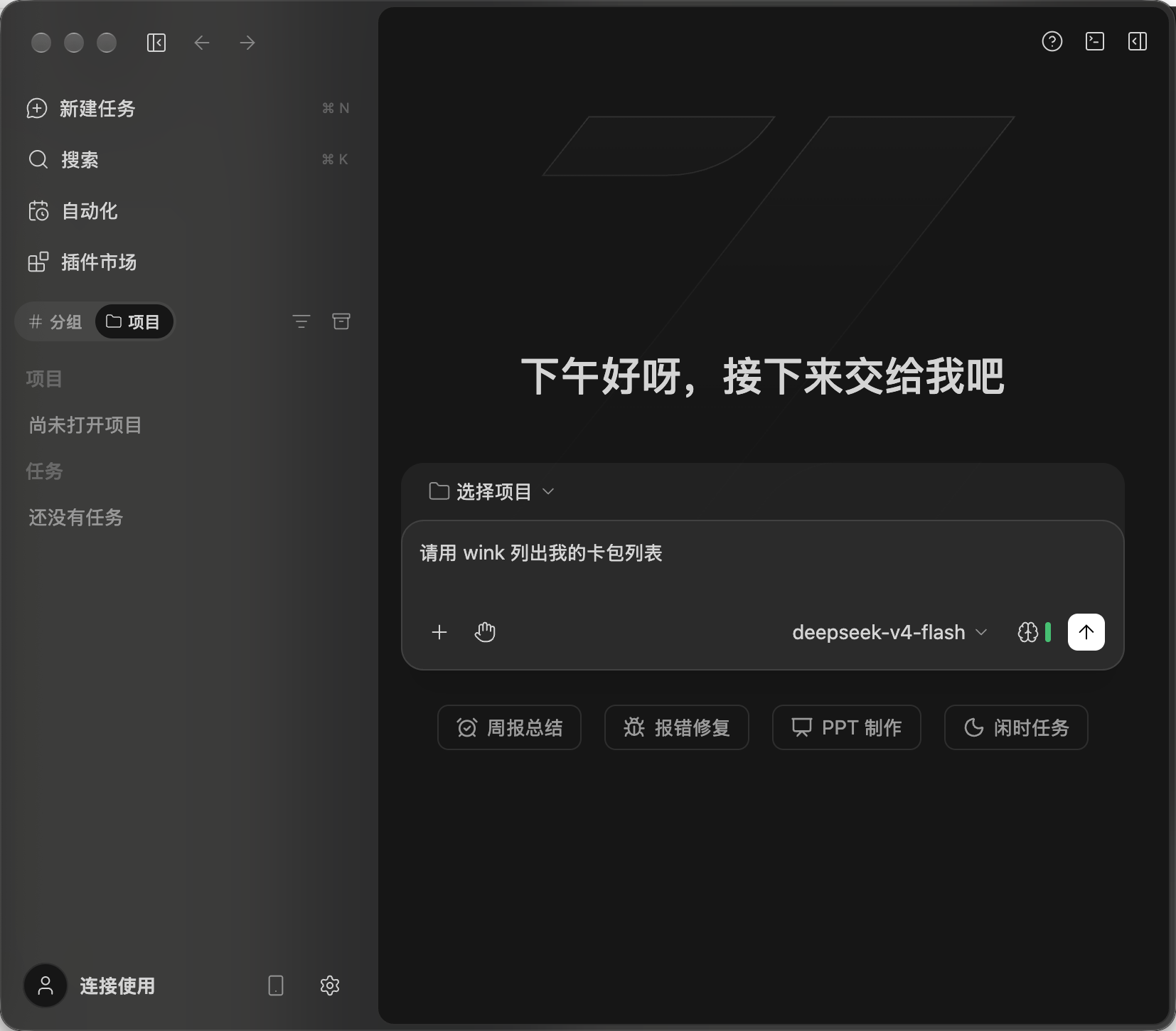
Start the first prompt with “using wink to …”. Once the session has picked up wink, you can leave it out.