 WinkNotesHelp
Add WinkNotes MCP to Qoder
Follow the steps below to connect WinkNotes to Qoder.
Add manually
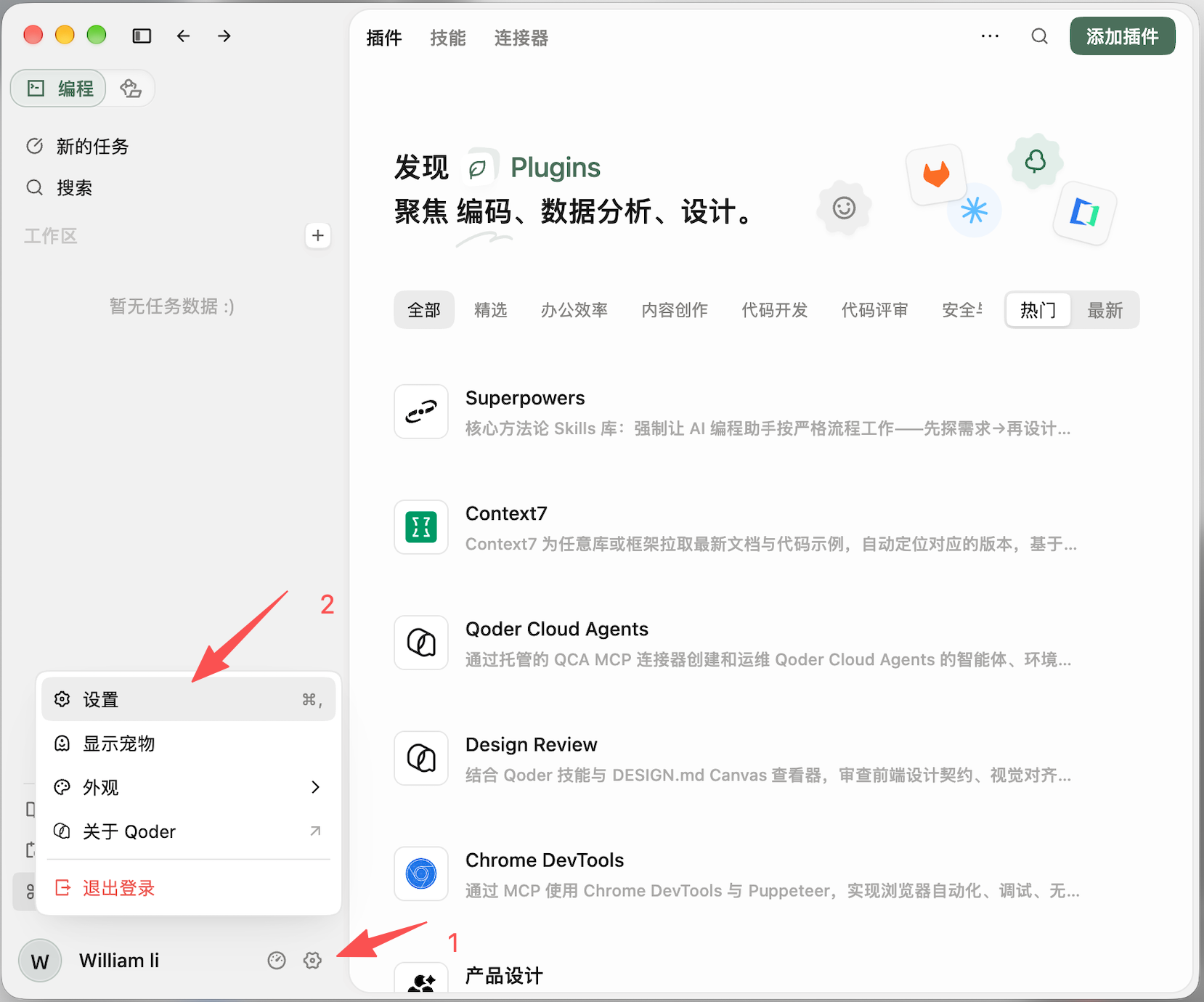
Tap Settings.
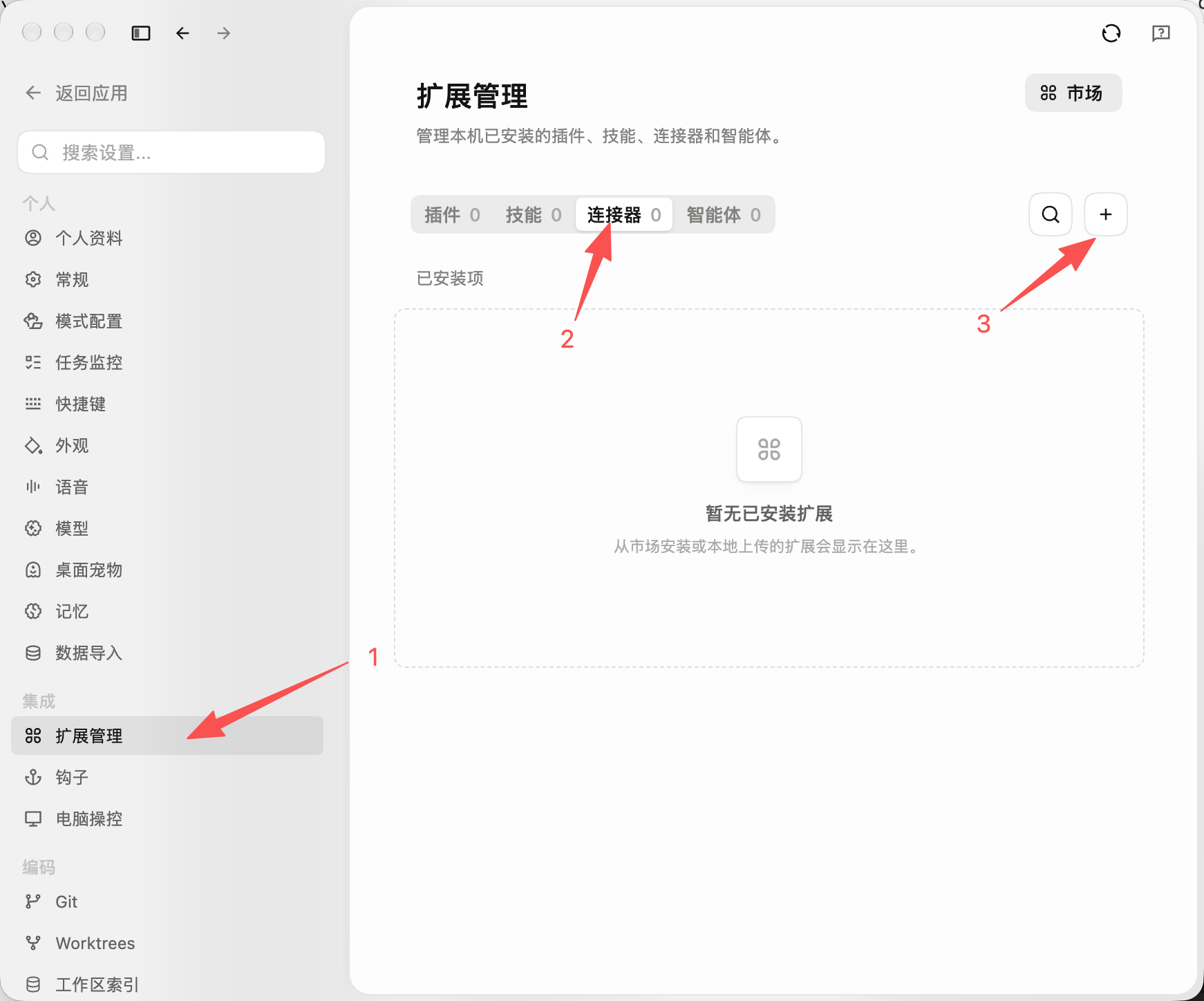
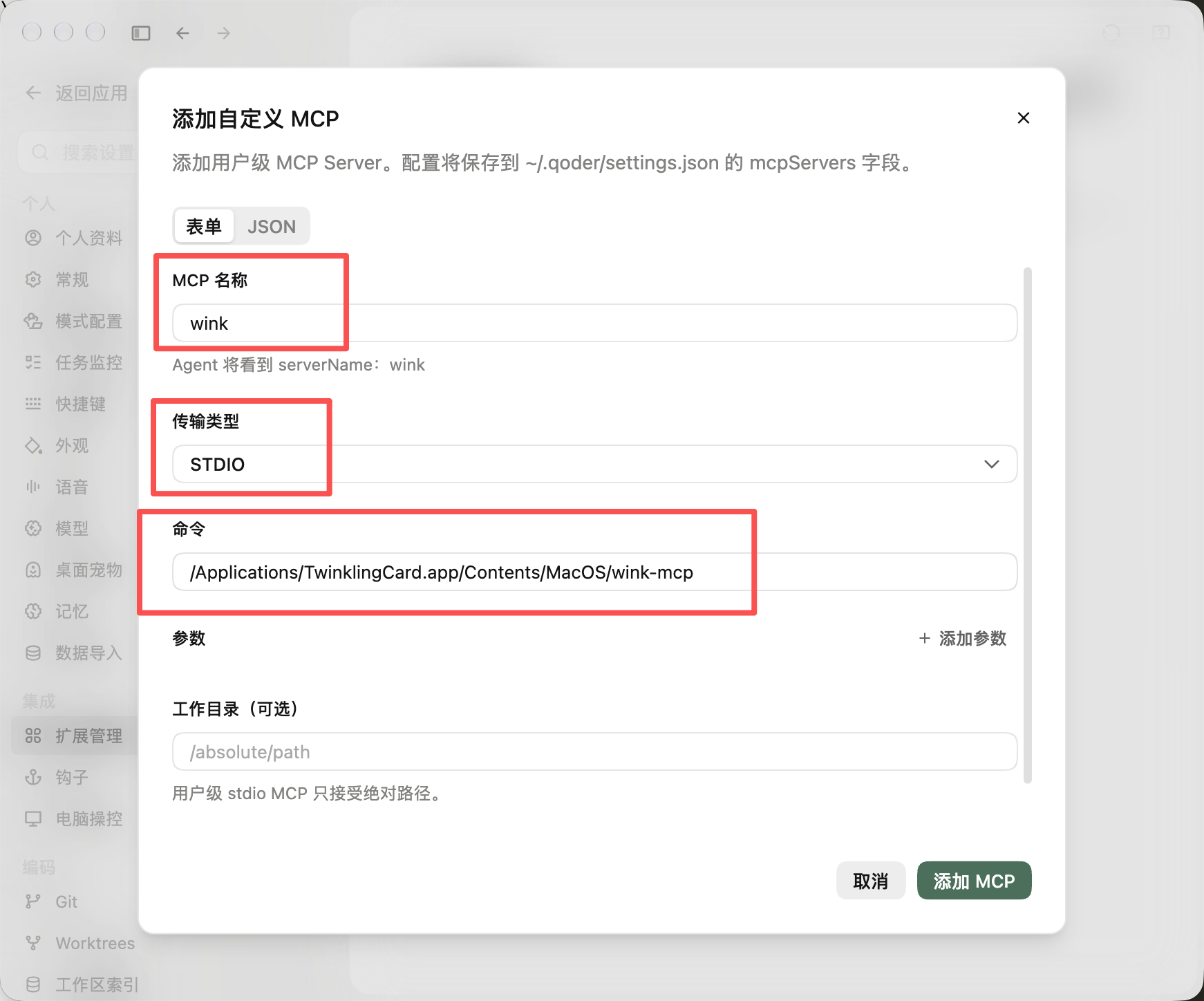
Name: wink
Type: stdio
Command: /Applications/TwinklingCard.app/Contents/MacOS/wink-mcp
Then tap Add MCP.
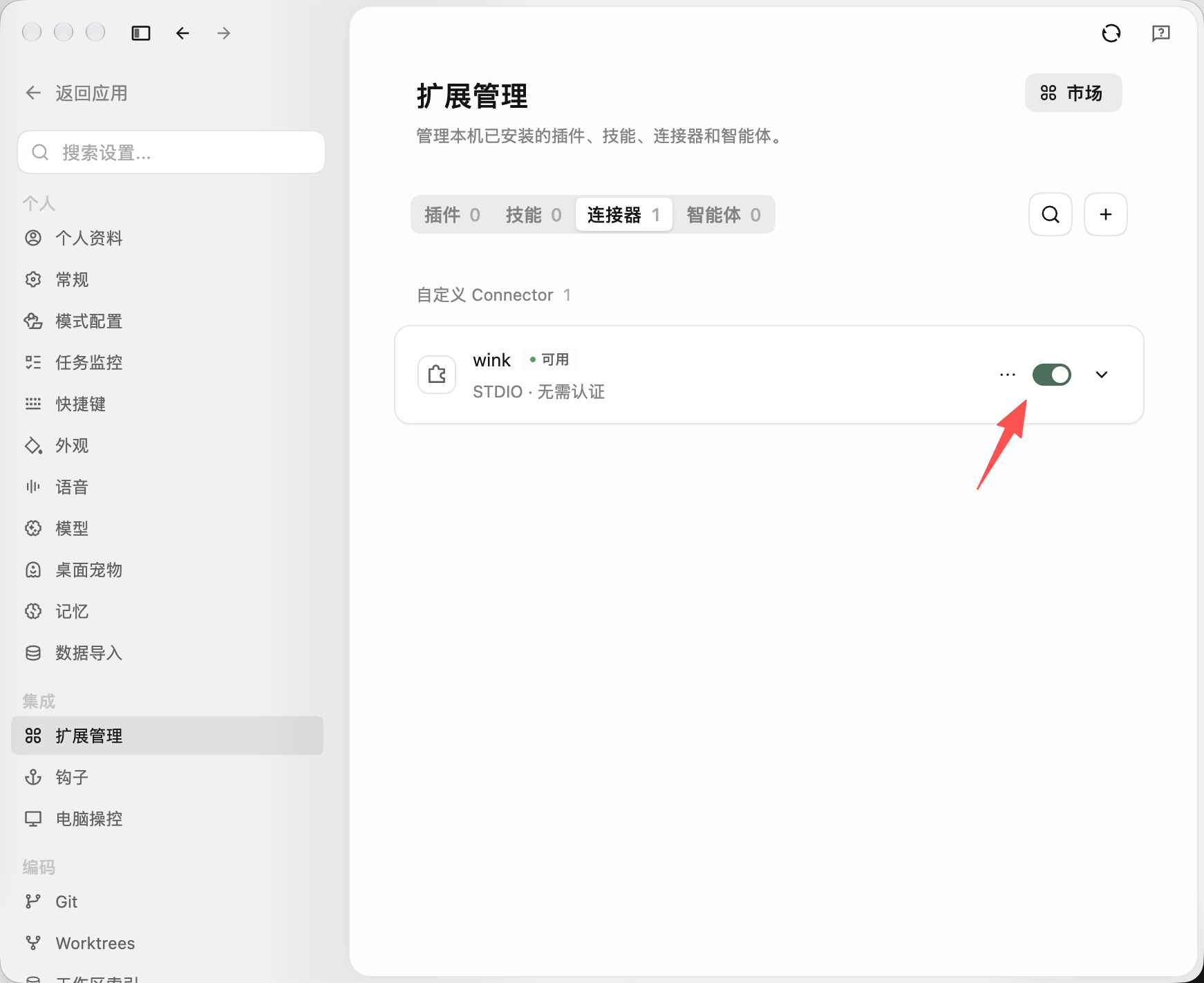
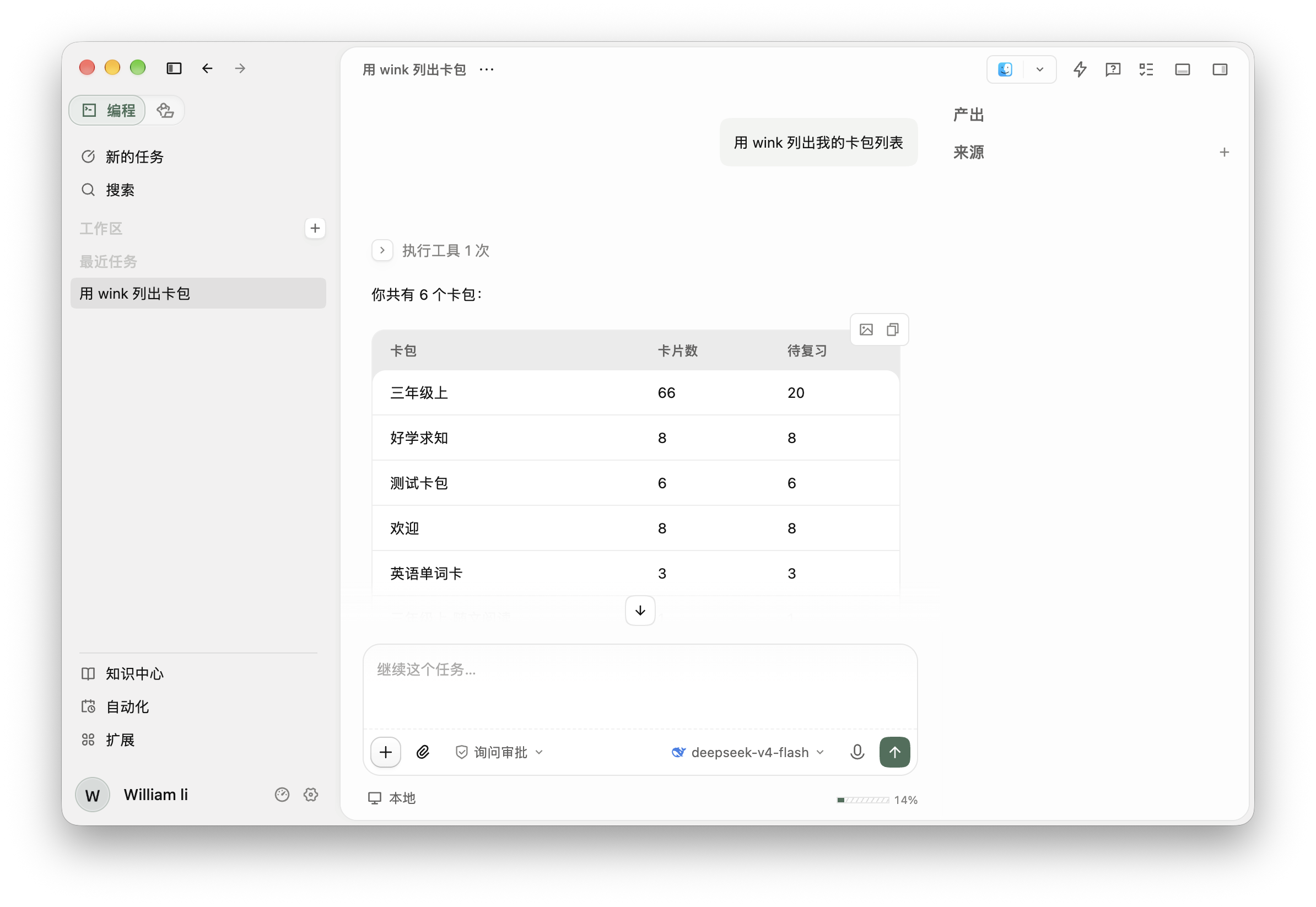
You should see wink as active.
⚠️ Note: quit Qoder and reopen it.
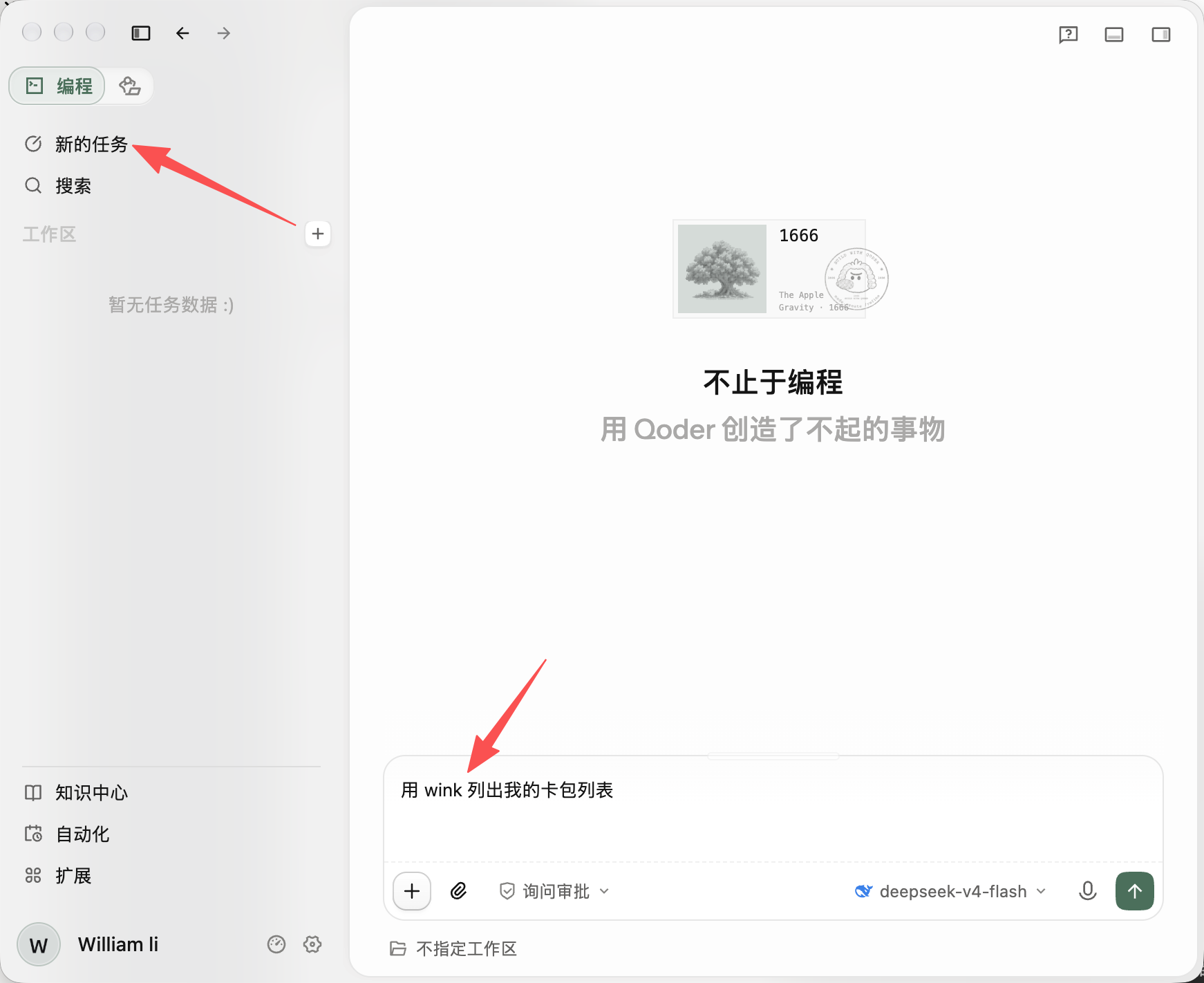
In a new task, start the first prompt with “using wink to …”. Once the session has picked up wink, you can leave it out.
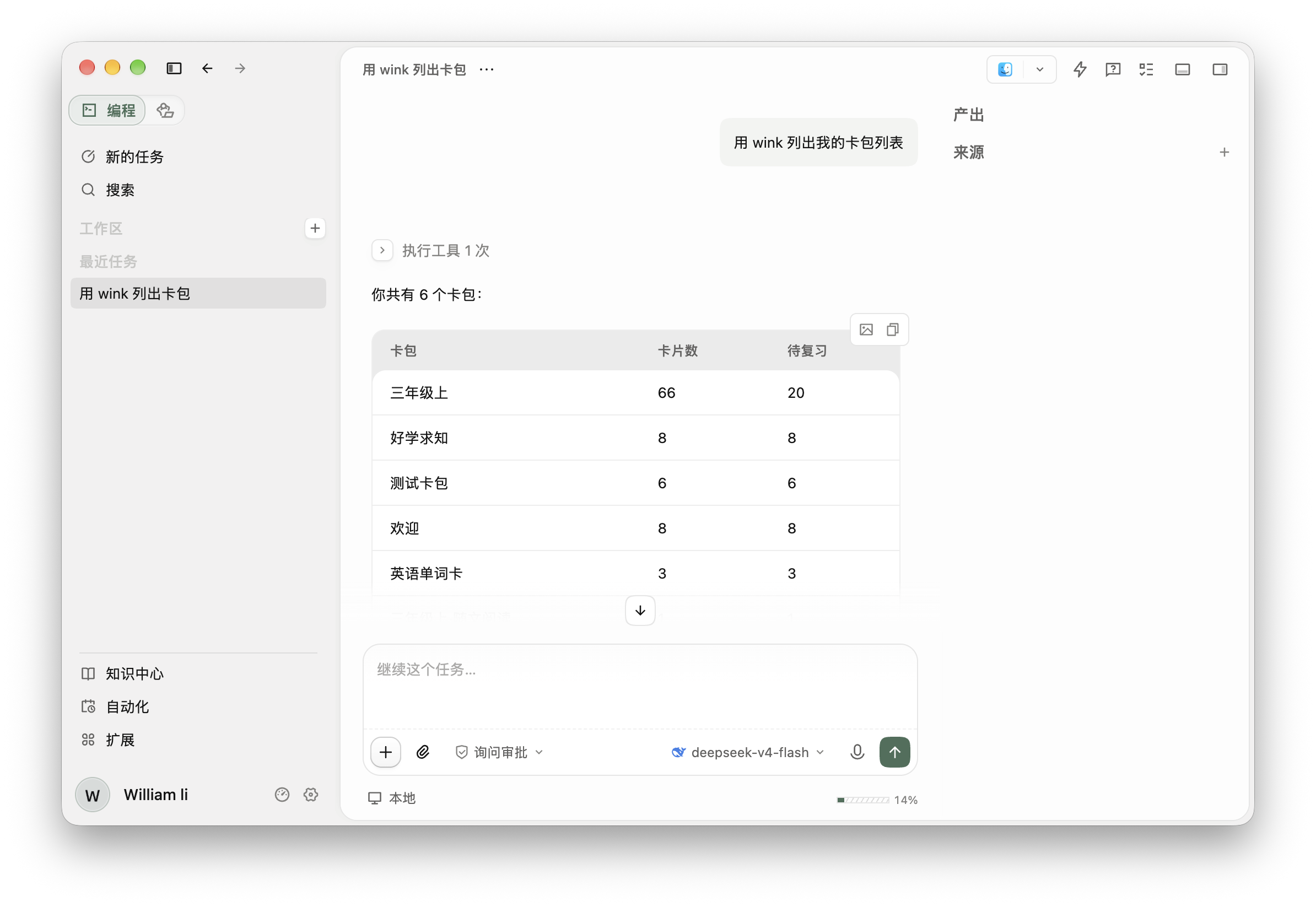
Add in chat
Open a new “New task” session and paste:
Please add this MCP server configuration:
"wink": {
    "type": "stdio",
    "command": "/Applications/TwinklingCard.app/Contents/MacOS/wink-mcp",
    "args": [],
    "enabled": true
}
After about 30–60 seconds of thinking, it should tell you it is done.
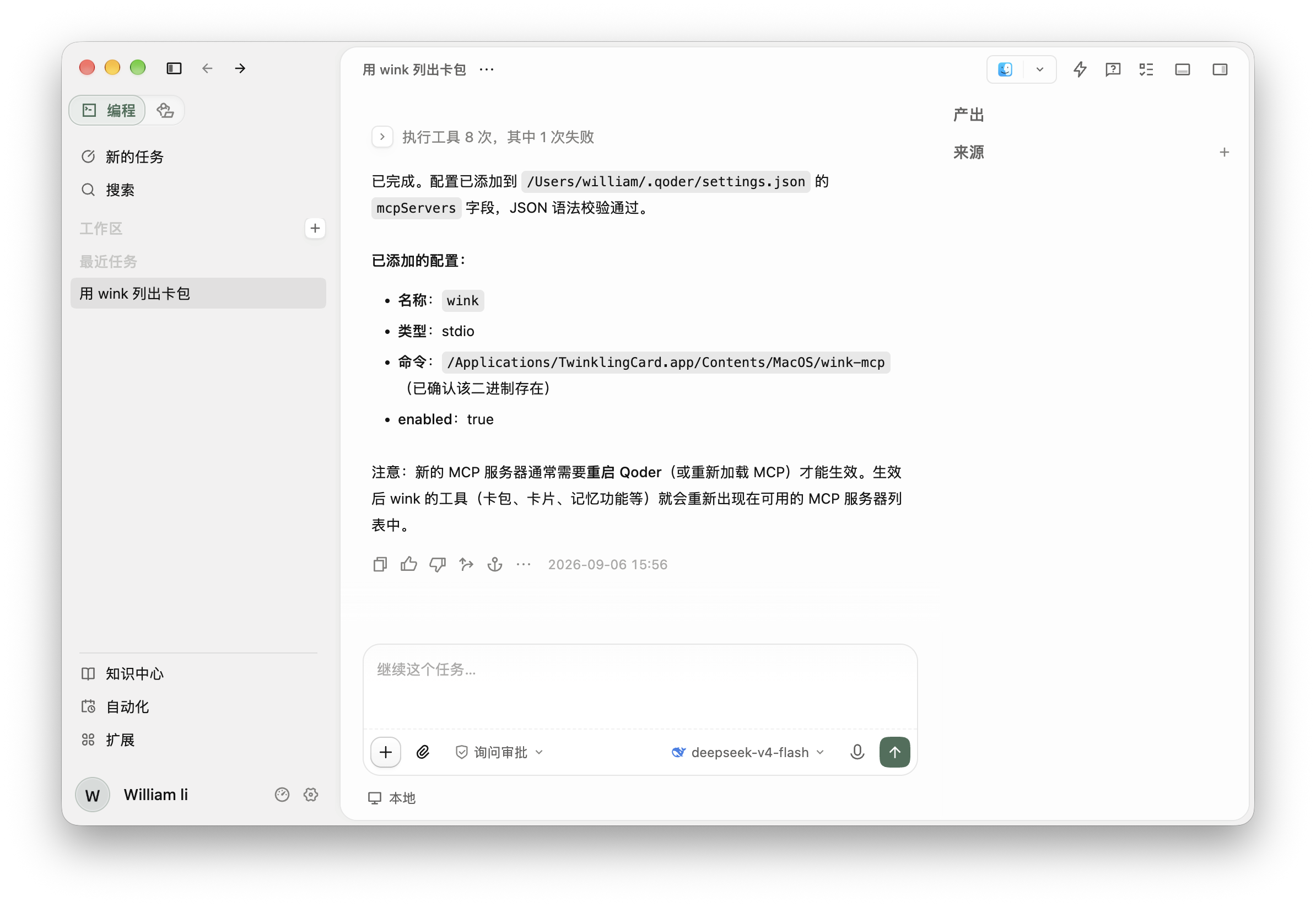
⚠️ Note: quit Qoder and reopen it.
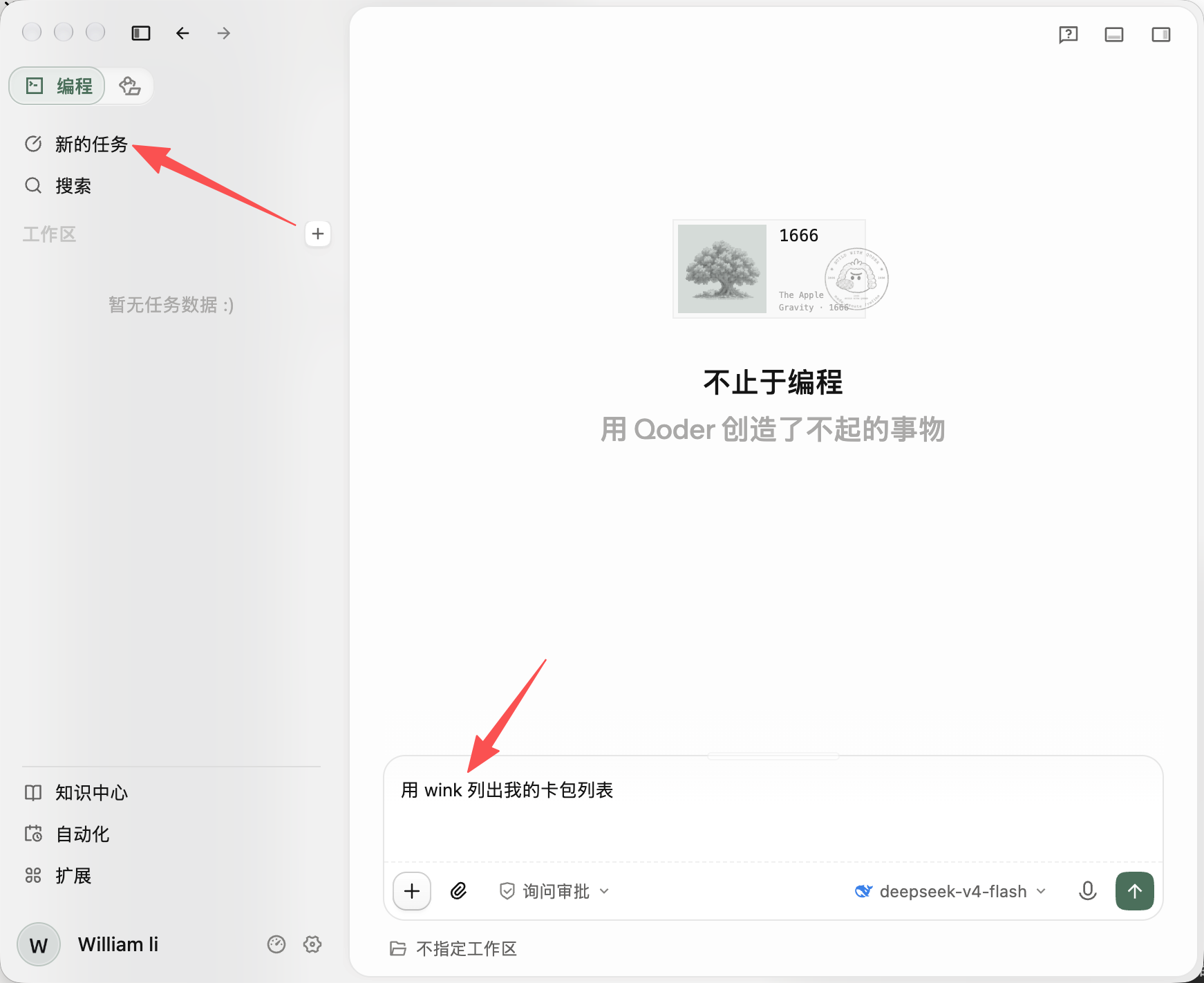
In a new task, start the first prompt with “using wink to …”. Once the session has picked up wink, you can leave it out.